
Google Index Checker
Check if a URL or domain is indexed by Google and Bing.
ℹ How this works
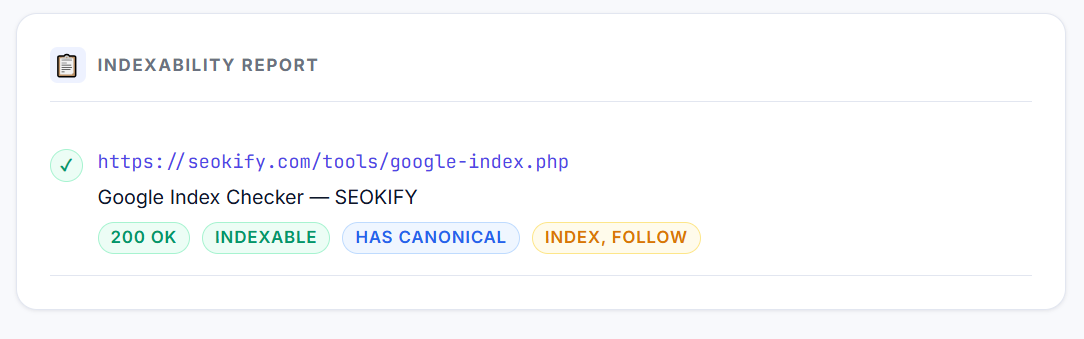
We check on-page signals that determine indexability: HTTP status code, noindex meta tags, canonical tags, and robots meta. For confirmed Google index status, use Google Search Console's URL Inspection tool.
What is Google Index Checker?
Check whether your web pages are indexed by Google with our free Google Index Checker tool. Verify indexing status, monitor SEO visibility, and identify crawl or indexing issues instantly.
Checks whether a URL is indexable by analyzing key on-page signals: HTTP status code, noindex meta tags, canonical URL, and robots meta. Returns a clear indexable/not-indexable verdict with specific reasons for each URL checked (up to 5 at once).
Google indexing is one of the most important parts of SEO. If your pages are not indexed, they cannot appear in Google Search results, which means users will never find your content organically.
Our Free Google Index Checker Tool helps you instantly verify whether your website pages are indexed by Google. It allows website owners, SEO professionals, bloggers, and developers to monitor indexing status and identify potential crawl or visibility issues.
Google recommends using proper crawlable links, sitemaps, and mobile-friendly pages to improve indexing efficiency.
Google indexing is the process where Googlebot crawls, analyzes, and stores your webpage information in Google’s search database. Once a page is indexed, it becomes eligible to appear in search results.
If a page is not indexed, users cannot discover it through Google Search.
Common reasons why pages may not be indexed include:
- Crawl errors
- Blocked robots.txt rules
- Noindex tags
- Duplicate content
- Poor internal linking
- Slow or inaccessible pages
Google advises using crawlable a href links and clean URL structures so Googlebot can properly discover pages
Why It Matters for SEO
A page that is not indexed receives zero organic traffic — regardless of how well it is optimised. Accidental noindex tags, misconfigured robots.txt entries, and soft 404s are among the most common causes of missing rankings.
A page must be indexed before it can rank in Google Search. Proper indexing improves:
- Keyword rankings
- Search engine discoverability
- Technical SEO health
Google also prioritizes mobile-friendly, crawlable websites with accessible resources and structured internal linking
How to Use This Tool
- 1 Enter up to 5 URLs (one per line)
- 2 Click Check Indexability
- 3 Review the indexable/not-indexable verdict for each URL
- 4 Fix any issues — start with noindex tags and redirect loops
- 5 Verify the fix using Google Search Console URL Inspection
Frequently Asked Questions
A Google Index Checker is a tool that verifies whether a webpage is indexed in Google Search results.
Common reasons include robots.txt blocking, noindex tags, duplicate content, crawl issues, or low-quality pages.
Being indexable does not guarantee being indexed. Google may not have crawled it yet, the content may be considered low quality, or the page may have weak backlinks.
Typically 1-14 days for established sites. New sites or new pages with no links can take weeks to months.
Google says indexing can take anywhere from several days to several weeks depending on website quality and crawl frequency
No. Indexed pages are eligible to appear in search results, but rankings depend on many SEO factors.
Yes, the tool is completely free to use online.